Setting Up a Home Office in Switzerland: Internet Speeds and Costs
So, you've landed in Switzerland, perhaps with dreams of a mountain-view home office, sipping coffee while you code or collaborate, all with the seamless digital connectivity you've come to expect. While Switzerland's infrastructure is generally top-notch, navigating the world of internet providers, understanding real-world speeds, and grappling with the associated costs for your home office can be surprisingly complex and, dare I say, a little frustrating for new arrivals. This guide will meticulously break down everything you need to know about setting up your ideal home office internet connection, from deciphering speeds to managing costs, ensuring you stay productive and connected in your new Alpine home.
Understanding Your Home Office Internet Needs
Before you even start looking at providers, take a moment to honestly assess what you really need from your internet connection. It’s easy to just grab the fastest package advertised, but in Switzerland, speed often comes with a hefty price tag, and sometimes, a little less can go a long way. This isn't just about Netflix; it's about your livelihood.
What Activities Demand High Speed?
Let's be real, a basic internet connection might be fine for casual browsing, but for a legitimate home office, especially one supporting a global team or data-intensive tasks, you need more oomph. Think about your daily workflow:
- Video Conferencing: If you're constantly on Zoom, Microsoft Teams, or Google Meet, especially with multiple participants or screen sharing, you need stable, reliable bandwidth. Dropped calls and pixelated faces aren't just annoying; they're unprofessional. Imagine you're in a crucial client meeting, and your connection suddenly freezes. Not a good look, right? High-definition video calls consume a significant amount of both download and upload bandwidth.
- Large File Transfers and Cloud Work: Are you uploading huge design files, syncing gigabytes of data to Dropbox or Google Drive, or working directly on cloud-based servers? These tasks are heavily reliant on upload speed, which is often overlooked in consumer-focused advertising that typically highlights download speeds. A slow upload can turn a quick file share into a coffee break, or worse, a missed deadline.
- Software Development and Remote Desktops: If you’re a developer compiling code remotely, accessing virtual machines, or using a remote desktop connection, latency and consistent speeds are paramount. Even small hiccups can cause significant delays and frustration.
- Streaming and Entertainment (After Hours): While not directly work-related, a good connection means you can unwind without buffering. If you have a family, multiple people might be streaming 4K content, gaming online, or video chatting simultaneously, all of which will compete for bandwidth with your work tasks. This means you need a connection that can handle peak demand without throttling your crucial work applications.
Speed Metrics: Mbps, Upload vs. Download
When providers talk about internet speed, they usually throw around "Mbps" (megabits per second). This is your fundamental measurement. However, there’s a crucial distinction:
- Download Speed: This is how fast data comes to your device. It's what powers your Netflix streaming, website loading, and downloading files. Most internet plans heavily advertise their download speeds because that's what most consumers primarily notice. For basic home office use with occasional video calls, 50-100 Mbps download might suffice, but for power users, 200-500 Mbps is a comfortable zone.
- Upload Speed: This is how fast data goes from your device to the internet. This is critically important for video conferencing (sending your video feed), uploading large documents, backing up to cloud storage, or sharing your screen. Many basic plans have significantly lower upload speeds than download speeds. For a serious home office, aim for at least 20-50 Mbps upload. If you’re a content creator or regularly transfer massive datasets, you might even need symmetrical speeds (where upload and download are the same, often 100+ Mbps). Don't make the mistake of focusing solely on download, or you'll be tearing your hair out during your next team presentation.
Fiber Optic, DSL, and Cable: What's Available to You?
Switzerland boasts an excellent internet infrastructure, but what's available can still depend on your specific address, especially if you're living in a more rural area.
- Fiber Optic (Glasfaser/Fibre optique): This is the gold standard. Fiber delivers light-speed internet directly to your home (FTTH – Fiber to the Home). It offers the fastest, most reliable, and most stable connections, often with symmetrical speeds up to 10 Gbps (though most common plans are 100 Mbps to 1 Gbps). If fiber is available in your building, grab it. It's fantastic for demanding home office users and large households. Many newer buildings are pre-equipped, but older ones, especially in city centers, might still be waiting.
- DSL (Digital Subscriber Line): This runs over traditional copper telephone lines. It's widely available but generally offers slower speeds compared to fiber or cable. Maximum DSL speeds typically range from 20 Mbps to 100 Mbps, heavily depending on your distance from the local exchange. It's a solid, reliable choice for basic home office needs but might struggle with multiple simultaneous high-bandwidth activities. You'll often find DSL where fiber hasn't been rolled out yet.
- Cable (Kabelanschluss): Delivered via the coaxial cable network, often shared with TV services. Cable internet can offer speeds comparable to or even exceeding high-end DSL, often up to 1 Gbps. It's usually very reliable, but theoretical speeds can sometimes fluctuate during peak usage hours in your immediate neighborhood, as bandwidth is shared among users on the same segment. This is less of an issue in Switzerland due to robust networks. You’ll often find cable providers, like Quickline in some regions, utilizing these existing connections.
When you're looking for an apartment, it's always worth asking the landlord or agent about the internet infrastructure. Sometimes, even within the same street, one building might have fiber while another only has DSL. A good relocation agent, perhaps through a service like Sirelo, can help you navigate these hyper-local nuances before you commit to a place.
Swiss Internet Providers: Options, Speeds, and Typical Costs
Alright, let's talk brass tacks: who offers what and for how much? Switzerland is known for its high cost of living, and internet services are no exception. You're definitely not getting bargain basement prices here, but you are generally getting robust, reliable service.
Major Players and Their Offerings
The Swiss internet market is dominated by a few key players, but there are also regional and budget options.
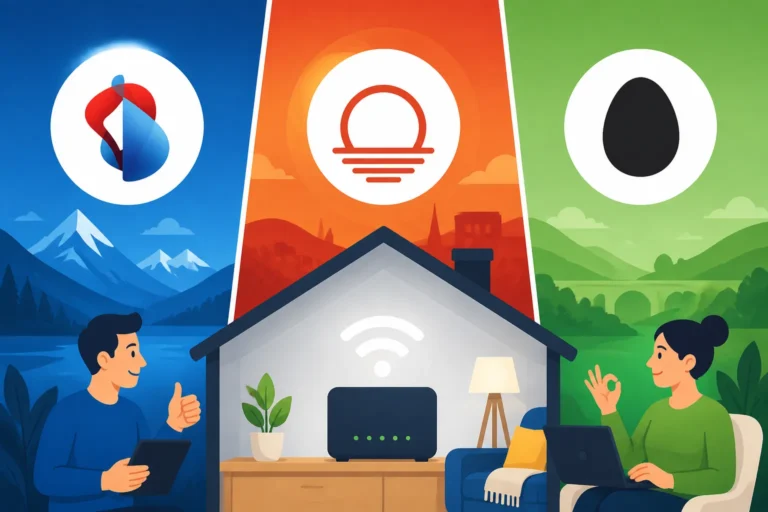
- Swisscom: The national behemoth. Swisscom is often seen as the premium provider, offering extensive network coverage (especially fiber and good DSL in rural areas) and top-tier customer service. Their speeds range from basic DSL to blistering 10 Gbps fiber. They offer comprehensive bundles including TV and mobile. Expect to pay a premium for Swisscom, but you generally get reliability and excellent support. For a decent home office fiber plan (e.g., 500 Mbps down/up), you might be looking at CHF 60-90 per month, depending on promotions and bundles.
- Sunrise (including UPC): A strong competitor, especially since its acquisition of UPC, which had a significant cable network footprint. Sunrise offers compelling bundles, often at more competitive prices than Swisscom, especially for cable internet. Their fiber network is also growing. They are a good choice if you're looking to package internet, mobile, and TV. A typical 500 Mbps plan could cost CHF 50-80 per month.
- Salt: Known for shaking up the mobile market with more aggressive pricing, Salt has also moved into home internet, primarily focusing on fiber optic connections. They often offer very attractive prices for high-speed fiber (e.g., 1 Gbps for under CHF 50-60 if you're lucky to catch a deal, sometimes even less with mobile bundles). Their coverage is excellent where fiber is available, but less so in areas reliant on older infrastructure.
- Regional Providers & Resellers: Don't forget the smaller players! Many cantons or cities have their own local utility providers (e.g., EWZ in Zurich, SIG in Geneva) that offer internet services, often utilizing the same infrastructure as the big players but with potentially more localized service or different pricing. There are also resellers like Init7 (known for hardcore fiber enthusiasts, often offering 10 Gbps symmetrical) or Wingo (Swisscom's budget brand) and Yallo (Sunrise's budget brand), which offer similar services at lower price points. These budget brands can be a great way to cut costs without sacrificing much in terms of underlying network quality.
The Cost Reality: What to Expect
Let's be blunt: internet in Switzerland isn't cheap. However, what you pay reflects high quality and consistent service, which is vital for a seamless home office.
- Monthly Fees: For a solid home office connection (think 200-500 Mbps fiber or high-speed cable), expect to pay anywhere from CHF 50 to CHF 90 per month as a baseline. If you're bundling with mobile or TV, the total package might offer better value than individual services. Entry-level DSL or slower fiber (50-100 Mbps) can be found for CHF 40-60.
- Activation Fees: Most providers charge an activation or setup fee, which can range from CHF 49 to CHF 99. Sometimes this is waived during promotions.
- Router Costs: While many providers include a basic router for free during the contract period, some might charge a rental fee or a purchase price, especially for more advanced Wi-Fi 6 compatible devices.
- Installation Costs: If your apartment isn't pre-wired for fiber and requires a technician to come and install a new fiber optic socket (which happened to me when I moved into an older building in Basel!), this can incur an additional cost, though sometimes the provider or landlord covers it. Always clarify this upfront.
It's crucial to compare not just the advertised monthly price, but the total cost over the minimum contract duration, including any activation fees or hardware costs.
| Provider Example (Typical) | Speed (Download/Upload) | Technology | Estimated Monthly Cost (CHF) | Setup Fee (CHF) | Contract Length (Months) | Notes |
|---|---|---|---|---|---|---|
| Swisscom (Basic Fiber) | 200/200 Mbps | Fiber | 69 – 85 | 89 | 12 – 24 | Premium service, wide coverage |
| Sunrise (Mid-range Fiber) | 500/100 Mbps | Fiber/Cable | 60 – 75 | 79 | 12 – 24 | Good bundles, often competitive |
| Salt (High-Speed Fiber) | 1000/1000 Mbps | Fiber | 49 – 69 | 99 | 12 – 24 | Excellent value where fiber available |
| Wingo (Budget Fiber) | 100/100 Mbps | Fiber | 39 – 59 | 59 | 1 – 12 | Swisscom's budget arm, flexible |
| Yallo (Budget Cable) | 200/20 Mbps | Cable | 35 – 45 | 0 – 49 | 12 – 24 | Sunrise's budget arm, often good deals |
Note: Prices are estimates and subject to change based on current promotions and specific bundle choices.
Contract Lengths and Flexibility
Most Swiss internet contracts come with a minimum commitment period, typically 12 or 24 months. While 12-month contracts offer more flexibility, 24-month contracts often come with better introductory offers or slightly lower monthly rates. Always check the fine print for early termination clauses and notice periods. This is something I wish I'd paid more attention to when I first moved, as cancelling Swiss contracts can be a headache if you don't respect the deadlines. Knowing your notice periods is crucial, especially if your job situation or living arrangements might change.
Optimizing Your Home Office Setup Beyond the Raw Speed
Getting a fast internet plan is only half the battle. How you set up your network within your apartment can make a huge difference to your real-world performance. A gigabit connection means nothing if your Wi-Fi can't reach your desk!
Router Placement and Wi-Fi Mesh Systems
Swiss apartments, especially older ones, can have thick concrete walls that act like Wi-Fi signal kryptonite. Your provider's standard router, while good, might not cover every nook and cranny of a multi-room apartment.
- Central Location: Place your main router as centrally as possible in your apartment, preferably in an open area, away from large metal objects, microwaves, or cordless phones which can cause interference.
- Wi-Fi Mesh Systems: If you have dead zones or a larger apartment, a mesh Wi-Fi system is a game-changer. Brands like Google Nest Wi-Fi, Eero, or Netgear Orbi create a seamless network with multiple access points, extending strong Wi-Fi coverage everywhere. This means your video calls won't cut out when you move from your desk to the kitchen for a coffee. This is a far superior solution to old-school Wi-Fi extenders, which often create separate, slower networks.
- Powerline Adapters: These use your home's electrical wiring to extend internet access. They can be a good alternative if running Ethernet cables isn't feasible and Wi-Fi struggles. Just plug one adapter into a wall socket near your router and connect it via Ethernet, then plug another adapter into a wall socket near your home office and connect your device.
Ethernet for Stability
For critical devices in your home office – like your primary work computer or your docking station – an Ethernet cable connection is always superior to Wi-Fi.
- Reduced Latency: Ethernet provides a more stable, lower-latency connection, which is crucial for applications sensitive to even minor delays, such as remote desktops, online gaming (if you do that after work!), or intensive video editing.
- Consistent Speed: Hardwired connections are less susceptible to interference from other devices, neighboring Wi-Fi networks, or physical obstacles. You'll get closer to the advertised speeds of your internet plan.
- Prioritization: Many routers allow you to prioritize Ethernet connections, ensuring your work machine gets preferential bandwidth treatment. If your apartment has Ethernet ports in the walls (common in newer Swiss buildings), use them! If not, consider a long, flat Ethernet cable for a semi-permanent solution.
Mobile Hotspots and Backup Solutions
Sometimes, even the best fixed-line internet can fail. Whether it's a planned maintenance outage or an unexpected technical glitch, having a backup plan is smart for a truly resilient home office.
- Mobile Hotspot (Tethering): Your smartphone can act as a mobile hotspot, sharing its cellular data connection with your laptop or other devices. If your fixed internet goes down, this can be a lifesaver for essential tasks. Check your mobile plan’s data allowance and tethering capabilities. Many Swiss mobile plans offer generous data, so this can be a viable short-term backup.
- Portable Wi-Fi Devices (MiFi): These dedicated devices provide a Wi-Fi hotspot using a separate SIM card. They can be useful for backup or for taking your internet with you when traveling within Switzerland.
- eSIMs for Travel: Speaking of travel, if you're ever working from a temporary location outside of your usual canton or even abroad, consider an eSIM service like Airalo. It allows you to quickly get local data without swapping physical SIM cards, making sure your remote work setup stays connected wherever you roam. This is a handy little trick many expats use when they have to commute across borders or simply enjoy working from a different location for a few days.
Practical Tips for Choosing and Setting Up Your Internet
Now that you know what you need and what's available, let's get down to the nitty-gritty of getting your home office connected. This process can sometimes feel like navigating a small administrative labyrinth, but with a few pointers, you'll be fine.
Checking Availability at Your Address
This is the absolute first step. Don't assume anything. Just because your neighbor has fiber doesn't mean you will, or that it's activated.
- Online Checkers: Every major provider (Swisscom, Sunrise, Salt) has an online availability checker on their website. Simply input your full Swiss address, including the street name, house number, and postal code. They will tell you what technologies (fiber, DSL, cable) and maximum speeds are available at your exact location.
- Contact Your Landlord/Régie: If you're unsure, or if it's an older building, your landlord or the property management company (régie) will know what infrastructure is installed in the building and if there are any specific local providers. Sometimes, older buildings have a long-standing contract with a particular cable provider, which might simplify your choice but also limit your options.
- Neighborhood Scan: Ask your new neighbors! Expats are often the best source of hyper-local information, including who they use for internet and their experiences with installation and service.
Comparing Deals and Bundles
Swiss providers love to bundle. Seriously, they do. While it can seem overwhelming, bundling your internet, TV, and mobile services can often lead to significant savings compared to subscribing to each separately.
- Assess Your Needs: Do you need a TV package with hundreds of channels? Or is streaming enough? How much mobile data do you truly use? Don't pay for what you don't need.
- Check Promotions: Providers frequently run promotions, especially for new customers. These can include waived activation fees, discounted monthly rates for the first 6-12 months, or free hardware. Keep an eye out for these. Sites like Comparis or Dschungelkompass are excellent for comparing current offers across different providers.
- Negotiate (Sometimes): While less common than in some other countries, if you're signing up for a long contract or bundling multiple services, there might be a small bit of wiggle room on pricing or a chance to get an additional perk. It never hurts to ask, particularly if you're dealing with customer service over the phone. Remember to be polite and patient, it goes a long way.
Installation Process and Timelines
Ah, the moment of truth. Getting your internet physically connected. This can range from blissfully smooth to "pulling-my-hair-out-waiting-for-a-technician" frustrating.
- Self-Installation vs. Technician:
- Self-Installation: If your apartment already has an active internet connection or the necessary fiber/cable sockets are installed and simply need to be connected to a new router, you might be able to self-install. The provider sends you the router, you plug it in, and ideally, it just works. This is usually the quickest option.
- Technician Visit: If you're activating a new fiber connection in a building that needs cabling, or if your current setup is problematic, a technician visit will be required. These appointments can sometimes have lead times of 1-3 weeks, especially during busy periods. Make sure you book well in advance of your desired start date. Be prepared for potential delays – it’s Switzerland, but unforeseen issues still happen! The good news is Swiss technicians are generally very professional and punctual once they arrive.
- Activation Date: Always clarify the exact activation date with your provider. Don't assume it will be immediate, even if you’re self-installing. Plan your home office work around this, especially if you're relying on a mobile hotspot for the interim.
- Leverage Moving Services: If you're moving houses, a comprehensive moving service (like those often facilitated by Sirelo) might even assist with utilities setup, reducing some of the administrative burden. It's one less thing to worry about when you're already juggling boxes and learning the local recycling rules.
Setting up a home office in Switzerland means investing in reliable internet. While the costs might sting a little compared to other countries, the stability and speed you gain are usually worth it. Take your time, do your research, and don't be afraid to ask for help from your landlord, neighbors, or online expat communities. You'll be enjoying your seamless digital workspace in no time, perhaps with that mountain view after all.
Disclaimer
The information provided in this article is for general guidance only and does not constitute professional advice. Internet speeds, costs, and provider offerings are subject to change and can vary significantly based on your specific location, available infrastructure, and current promotions. Always consult directly with service providers and verify current terms and conditions before making any decisions. We recommend seeking personalized advice for your unique situation.