Setting Up Swiss Home Internet: Swisscom, Sunrise, and Salt Compared
Moving into a brand-new Swiss apartment only to realize you are staring at a blank wall where the Wi-Fi router should be is a rite of passage for every newcomer. I remember sitting on a cardboard box in my empty living room in Zurich, desperately trying to tether my laptop to a weak mobile signal just to send a single work email. This guide solves the technical and administrative puzzle of getting your Swiss home internet running without the weeks of waiting or "lost in translation" contract mishaps.
Understanding the Swiss Fiber and DSL Landscape
Before you even look at a provider, you need to know what your walls are hiding. Switzerland has one of the most advanced fiber-optic networks in the world, but it is also a country that clings to its copper-wire DSL roots in older buildings. When you first find a place through a platform like HousingAnywhere, the listing might mention "high-speed internet," but you need to verify if that means a fiber-optic (FTTH) connection or a standard DSL line. The difference isn't just speed; it's the physical hardware you will need to install.
Fiber Optic vs. Copper DSL
Fiber-optic internet, or "Glasfaser," is the gold standard here. Most modern apartments in major cities are equipped with it, offering speeds up to 10 Gbps. If you are a heavy gamer, a remote worker, or someone who streams 4K video on three different devices, fiber is non-negotiable. It is symmetrical, meaning your upload speed is just as fast as your download speed, which is a lifesaver for video calls and large file transfers.
On the other hand, many older "Altbau" apartments still rely on the copper telephone network (DSL). While DSL has improved significantly with technologies like G.fast, it rarely matches the raw power of fiber. If you are looking at Altbau vs Neubau: Pros and Cons of Historic Swiss Apartments, keep in mind that the historic charm of a 19th-century building often comes with 19th-century wiring. DSL is more prone to interference and usually tops out at speeds that, while sufficient for Netflix, might struggle under heavy household use.
The OTO Socket Mystery
If your apartment has fiber, you will need to find the OTO (Optical Telecommunications Outlet) socket. It usually looks like a small white box on the wall with four ports, often located in the living room or near the fuse box in the hallway. Every OTO socket has a unique OTO ID printed on it—a string of letters and numbers like B.123.456.789.X.
When you sign up for a plan, the provider will demand this OTO ID. I cannot stress this enough: take a photo of this number the moment you get your keys. Without it, the provider has to guess which line belongs to your flat, which leads to the nightmare scenario of you paying for the neighbor’s internet while your own router stays dark. This is a critical part of Utilities in Switzerland: Electricity, Water, Heating, and Internet Setup that many expats overlook until moving day.
The Big Three: Swisscom, Sunrise, and Salt
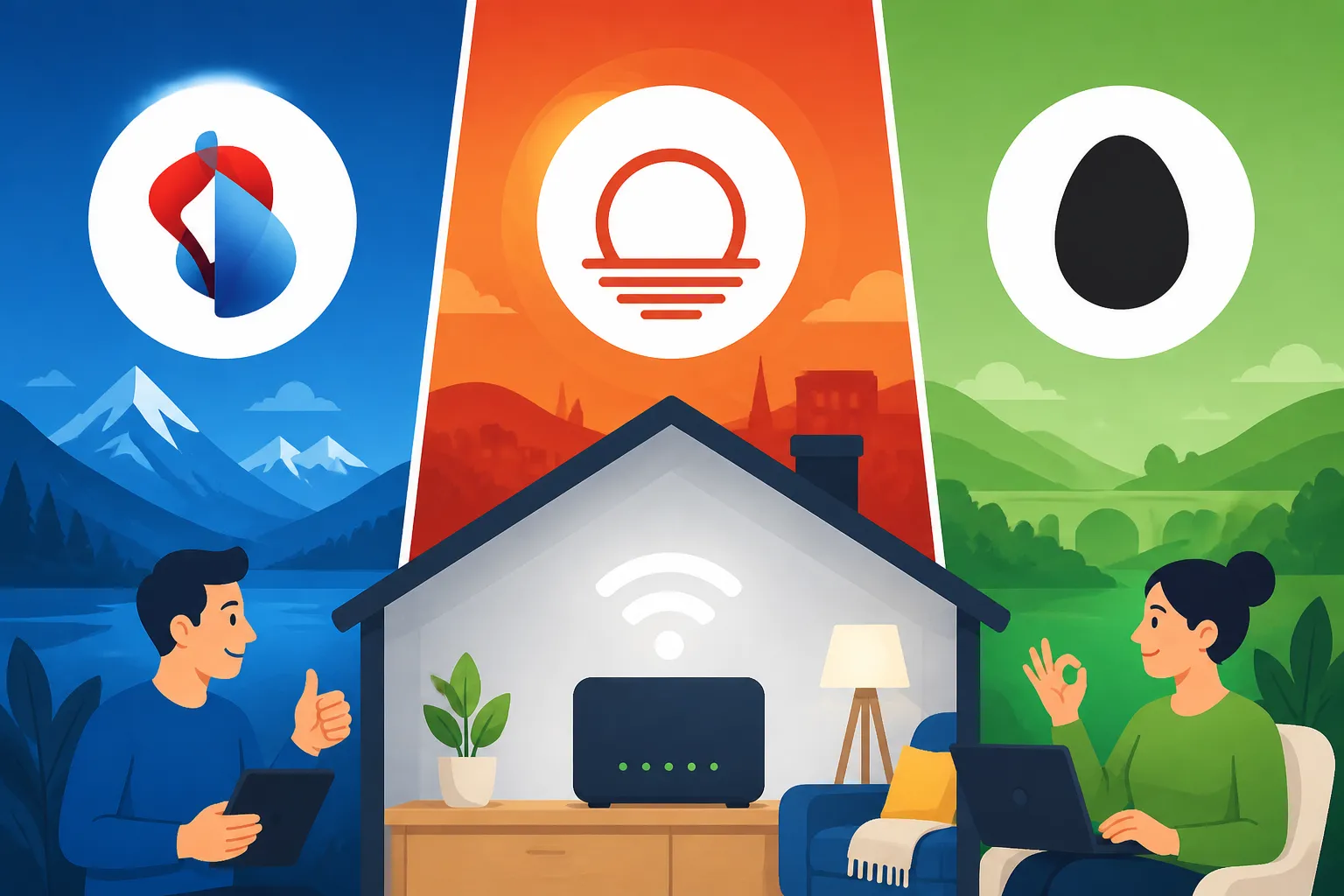
The Swiss market is dominated by three main players. Choosing between them is less about the technology—since they often share the same physical fiber lines—and more about the "extras," the customer service, and the "Swissness" of the brand. When you are calculating your Cost of Living in Switzerland 2026: Budgeting for Singles and Families, your choice of provider can swing your monthly budget by 40 to 50 CHF.
Swisscom: The Premium Reliability King
Swisscom is the former state-owned monopoly, and they carry that weight with a certain level of prestige. They are the most expensive option on the market, but they offer the most comprehensive English-language support. If you want a technician who definitely speaks English to show up at your door and handle everything, Swisscom is your best bet. Their routers are high-quality, and their network stability is arguably the best in the country.
However, you pay a "premium tax" for this peace of mind. A standard fiber plan can easily run north of 80 CHF per month. They often bundle their internet with TV and mobile plans, which can save you money in the long run but requires a significant monthly commitment. For those who aren't tech-savvy and want a "set it and forget it" solution, Setting up Swisscom Internet Before You Move In: Typical Lead Times is usually the first thing on their checklist.
Sunrise: The Flexible Middle Ground
Sunrise is the main competitor to Swisscom and often positions itself as the more modern, flexible alternative. They frequently run "lifetime" promotions where you can snag a high-speed fiber plan for 40-50 CHF per month. Their customer portal is relatively easy to use, and they have made significant strides in English-language support over the last few years.
The downside to Sunrise can be the "sales-heavy" culture. Expect to be upsold on TV packages or mobile SIMs every time you call. However, if you are looking for a solid balance between price and performance, Sunrise is hard to beat. They also have a very strong partnership with various sports broadcasting rights, making them a favorite for expats who want to watch international football or hockey.
Salt: The High-Speed Value Disruptor
Salt entered the home internet market with a "disruptor" mindset, offering 10 Gbps fiber for a flat rate (usually around 49.95 CHF, or 39.95 CHF if you already have a Salt mobile plan). Their hardware, the Salt Fiber Box, is sleek and designed by Apple’s former designer, but it is notoriously finicky. If it works, it’s the fastest internet you’ve ever had for the price of a decent lunch in Geneva.
The catch with Salt is the installation. Because they use a specific type of technology (XGS-PON), not every OTO socket is immediately compatible without a specific "patch" from the local utility company. This can lead to longer activation times. If you are tech-savvy and want the absolute best "speed-to-price" ratio, Salt is the winner, but be prepared for a slightly more "hands-on" setup experience compared to the premium hand-holding of Swisscom.
| Feature | Swisscom | Sunrise | Salt |
|---|---|---|---|
| Max Speed | 10 Gbps | 10 Gbps | 10 Gbps |
| English Support | Excellent | Very Good | Good |
| Typical Price | 80 – 110 CHF | 50 – 90 CHF | 40 – 50 CHF |
| Contract Flex | Medium | High | High |
| Hardware Qual | High | Medium | High (but complex) |
Alternative Providers and 5G Home Internet
If you don't want to sign your life away to the "Big Three," there is a thriving market of sub-brands and 5G solutions. These are often better for younger expats, students, or those who aren't sure how long they will be staying in their current apartment. Managing these costs is a big part of understanding Cost of Living Realities: Groceries, Telecoms, and Household Expenses.
The Rise of Wingo and Yallo
Wingo (owned by Swisscom) and Yallo (owned by Sunrise) are what we call "no-frills" providers. You get the exact same network as the parent company but at half the price. The trade-off? There is no physical store to walk into if your router breaks, and English support is often limited to chat-bots or paid hotlines.
These providers are perfect for the "digital native" expat. They often have monthly-cancelable contracts, which is a godsend if you are on a short-term B permit. I personally used Wingo for two years and found it identical to Swisscom's premium service, minus the fancy packaging. For more details on these budget options, check out Using Yallo or Wingo for Cheap 5G Home Internet Alternatives.
5G Fixed Wireless Access as a Quick Fix
Sometimes, your apartment simply isn't wired for fiber yet, or the OTO socket is broken. In these cases, a 5G "Internet Box" can be a lifesaver. You just plug it into a power outlet, and it creates a Wi-Fi hotspot using the 5G mobile network. While not as stable as a physical wire, 5G speeds in Swiss cities are often faster than old DSL lines.
If you are a nomad or waiting for your permanent residency permit, this is a great bridge. Just keep in mind that "unlimited" doesn't always mean unlimited—some providers will throttle your speed after 500GB of usage. If you are working remotely, make sure you understand Digital Nomad Realities: Why Switzerland Restricts Remote Work on Tourist Visas before relying solely on a 5G box for your livelihood.
Step-by-Step Guide to Getting Connected
The administrative process in Switzerland is precise. If you miss a deadline or misspell your name on the contract, the whole system grinds to a halt. You should ideally start this process the moment you have a signed rental lease and have completed Registering Your Address at the Kreisbüro Within 14 Days of Moving.
Lead Times and Activation Periods
The biggest mistake expats make is waiting until they move in to order internet. In Switzerland, the "activation window" is usually 10 to 14 days. If the previous tenant didn't "release" the line properly, it can take even longer. I recommend ordering your internet at least three weeks before your move-in date. You can set the "activation date" to your first day in the apartment.
If you find yourself in the "no-internet zone" for the first week, I highly suggest getting a temporary eSIM from Airalo. It will keep your phone connected so you can at least use Google Maps and WhatsApp while you wait for your router to arrive in the mail. Trust me, trying to find a furniture store without a data connection is a recipe for a meltdown.
The Installation Process: DIY vs. Technician
Most Swiss internet is "Plug & Play." The provider sends you a box; you connect the fiber cable to the OTO socket and wait for the lights to turn green. However, if the OTO socket has never been used, a technician might need to visit the basement of your building to "patch" your line.
In most cases, this is free, but you must be home during the 4-hour window they provide. If you miss the appointment, you will be hit with a "no-show" fee of 100-200 CHF. If you are uncomfortable with cables, you can pay for an "Installation Service," but for anyone who can follow a basic diagram, the DIY route is usually fine. If you need better hardware than what the provider gives you, I often find that Amazon Germany has a much wider selection of high-end routers and mesh systems that ship to Switzerland with pre-calculated customs fees.
Costs, Contracts, and Fine Print
Swiss contracts are famous for their "Mindestlaufzeit" (minimum duration). While the rest of the world is moving toward month-to-month plans, Switzerland still loves the 12 or 24-month commitment. Breaking these early can cost you the remainder of the contract—sometimes upwards of 800 CHF.
Hidden Activation Fees and Router Costs
Always look for the "Aufschaltgebühr" (activation fee). This is a one-time charge of 40 to 100 CHF that magically appears on your first bill. Many providers will waive this during "Black Friday" or "Back to School" sales. If you are moving here in the autumn, keep an eye out for these deals.
Also, check if the router is a "loan" or a "purchase." Most providers loan you the router for free, but you must return it in the original box when you cancel. If you lose that box or forget to send the router back within 30 days of canceling, they will charge you the full retail price of the hardware. This is a common pitfall mentioned in Swiss Mobile Plans: Best Subscriptions and Prepaid eSIMs for Expats as well.
Minimum Contract Durations and Cancellation Rules
In Switzerland, "canceling" isn't as simple as sending an email. Most contracts require a 2-month notice period. If your contract ends on December 31st, you must notify them by October 31st. If you miss it by a day, the contract might automatically renew for another full year.
Always send your cancellation via "Einschreiben" (registered mail) or through the provider's official online cancellation tool where you get a timestamped receipt. Keeping your paperwork in order is essential for your future credit score, especially if you ever plan on Applying for an Apartment Without a Debt Register Extract.
Maximizing Your Connectivity as an Expat
Once you have the basics down, you can start looking for the "Expat Hacks" that save you money and headaches. Connectivity isn't just about the speed of your Wi-Fi; it's about how it integrates with your life in your new home city.
Combining Mobile and Home Internet for Discounts
The most common way to save money in Switzerland is through "convergence." If you have your mobile plan and your home internet with the same company (like Swisscom or Sunrise), you often get a 10-20% discount on both. Over a year, this can save you enough for a weekend trip to the Alps.
Before you commit to a home provider, check your mobile contract. If you are already using a specific carrier, call them and ask for a "Loyalty Offer" to add home internet. They are often authorized to give you a better deal than what is listed on their website just to keep you in their ecosystem. This is a vital part of your overall strategy for Healthcare in Switzerland for Expats: The Complete System Overview (2026) and other monthly bills.
Connectivity While You Wait for Installation
As mentioned earlier, that 14-day waiting period is the hardest part. If you have moved into one of the Finding Temporary Serviced Apartments: Vision Apartments and CityPop, the internet is usually included. But if you are in a "bare" apartment, you need a backup.
Aside from using temporary data, check if your provider offers a "Pre-activation" hotspot. Some companies will send you a 4G dongle for free to use while your fiber line is being prepared. It’s a small detail that makes a massive difference when you are trying to coordinate furniture deliveries and light fittings in those first few chaotic weeks.
Disclaimer
The information provided in this guide is for general informational purposes only and does not constitute legal or financial advice. While we strive to provide up-to-date information regarding Swiss internet providers and regulations as of 2026, terms, conditions, and pricing are subject to change by the respective companies. Always read the specific terms of your service contract before signing.